
Bank-e Pay

Pay with Your Phone

Pay for your purchases
with Bank-e Pay at no charge
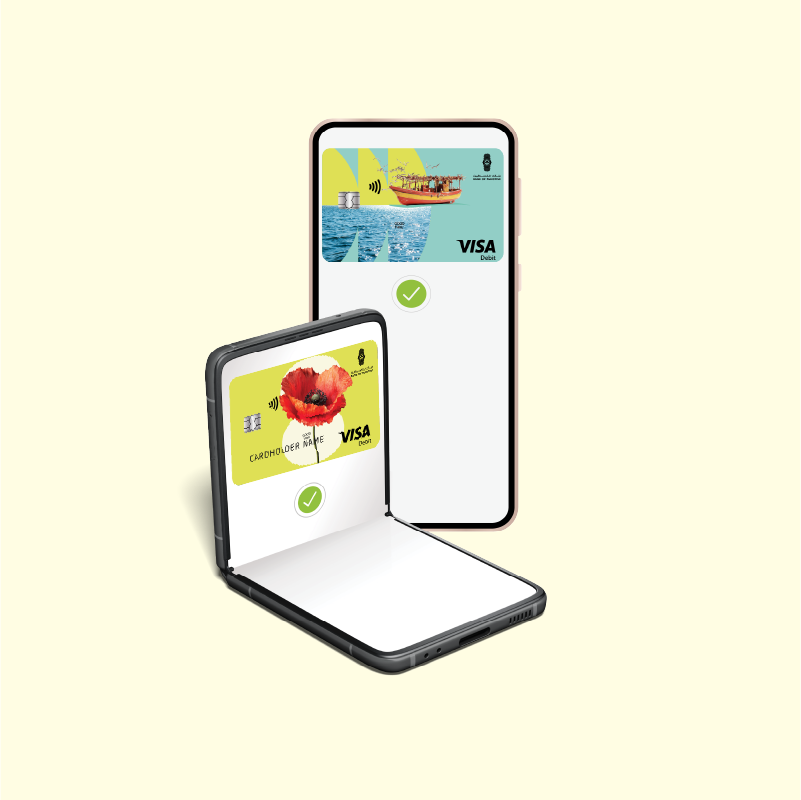
Make payments whether
or not your device is connected to the internet
Pay without using
your physical cards

More Benefits

Make faster, easier payments at POS terminals without presenting your physical card, whether shopping locally or traveling abroad.
Easily manage which cards you use for Bank-e Pay through the Bank-e app.
Select, switch between, and link your cards easily through the Bank-e app.

Frequently Asked Questions

  • Download and activate the Bank-e app.
  • Have at least one active account and one active card.
  • Use an Android device that supports NFC, running Android 7 or later.

Choose your preferred payment method and make sure NFC is enabled on your mobile device before paying at a POS terminal. You can pay directly from your mobile device with or without an internet connection:

  • Once the merchant enters the purchase amount, unlock your phone and hold it near the POS terminal.
  • Within a few seconds, the amount will be deducted, you will receive a transaction notification, and a message confirming the successful payment will appear on the merchant’s POS terminal.
  • If more than 60 seconds have passed, hold your phone near the POS terminal. You will be prompted to authenticate using your fingerprint or your phone’s PIN.
  • Hold your phone near the POS terminal again. The amount will then be deducted, a transaction notification will be sent, and the successful payment will be confirmed on the merchant’s POS terminal.

Yes. An internet connection is required when making the payment through the Bank-e app.

  • Log in to the Bank-e app, select Cards, then tap Bank-e Pay for the card you want to use.
  • Authenticate the payment using your fingerprint or your phone’s PIN.
  • Hold your phone near the POS terminal.

The amount will be deducted immediately, and a confirmation message will appear in the Bank-e app and on the merchant’s POS terminal.


  • Select Cards from the Bank-e app home screen.
  • Accept the terms and conditions.
  • Tap Add to Bank-e Pay.
  • Select the card you want to add.

For more information, you can choose one of the contact methods.

Chat on WhatsApp
Chat on WhatsApp
Resolve queries instantly without the wait. Send a secure message to our support experts anytime.
  • WhatsApp:
    +970593666666
Email our team
Email our team
For any assistance with our products and services, email our support team directly.
  • Click the link below, to contact us:
Call us directly
Call us directly
Need help with our products or digital services? Our support experts are here to guide you.
  • Local:
    1700 150 150
    \ #267 \ #2288
  • International:
    +970 2 294 6420
  • Working hours: Available 24/7
Meet Our Experts In Person
Visit a branch for face-to-face advisory and tailored financial solutions.
  • Sunday - Wednesday: 08:30 - 14:30
  • Thursday: 08:30 - 13:30